Discover multimedia learning strategies that can transform your classroom, aid retention, and foster engagement. Learn how multimedia can aid both educators and students today!
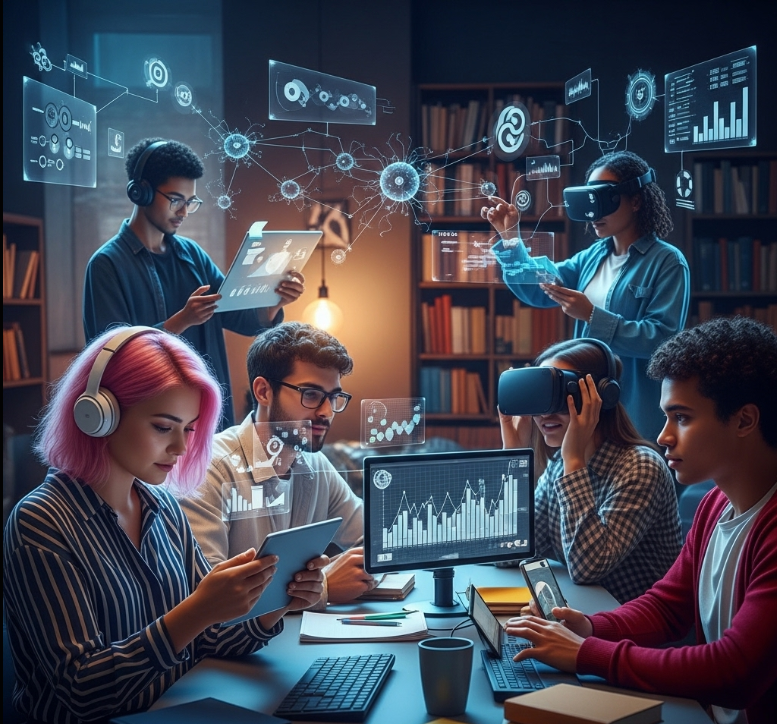
Multimedia Learning Study Room
Introduction:
Multimedia learning strategies combine text, video, audio, and interactive elements to aid understanding and retention. This approach helps students connect with content more profoundly and prepares them for real-world applications. This guide covers a range of multimedia strategies designed to maximize educational outcomes while keeping students engaged and motivated.
What Are Multimedia Learning Strategies?
Have you ever caught yourself zoning out during a lecture—your eyes glazing over, your mind drifting—only to snap back to attention when the teacher pulls up a video or sparks a class discussion? That right there is the power of multimedia learning. It’s about going beyond old-school lectures and dusty textbooks, and tapping into a richer, more engaging way of learning—one that uses a mix of sights, sounds, and interaction to make information actually stick.
At its heart, multimedia learning means using different types of media—text, images, audio, video, animations, interactive tools—to teach and reinforce concepts. But it’s more than just tossing a YouTube clip into your slideshow. It’s about intentionally designing learning experiences that align with how our brains work best.
One of the key voices in this space is educational psychologist Richard Mayer, whose Cognitive Theory of Multimedia Learning shows that our brains process visuals and sounds in separate channels. When both are used well together, learning becomes faster, deeper, and more memorable.
Think about trying to learn the circulatory system by reading a textbook. Now imagine that same lesson delivered as an animated video showing blood flowing through the heart, with narration guiding you through each step, followed by a hands-on activity where you label each part yourself. That’s multimedia learning in action—bringing content to life and helping your brain connect the dots in meaningful ways.
And let’s be real: in today’s tech-saturated world, students are already immersed in multimedia outside the classroom—scrolling through TikTok, watching YouTube, gaming, and more. If we want education to stay relevant and engaging, we have to meet them where they are. That means turning passive note-taking into active learning experiences, where students aren’t just memorizing—they’re truly understanding and applying what they learn.
Why Multimedia Matters in Education
Multimedia in education isn’t just a cool add-on—it’s a game-changer. It helps educators connect with diverse learners, makes complex topics easier to understand, and turns classrooms into dynamic spaces where learning actually sticks. Here’s how:
✅ Enhanced Engagement and Motivation
Let’s face it—pages of plain text can feel like a chore. But bring in a striking infographic, a fast-paced video, or a fun interactive quiz, and suddenly you’ve got students leaning in, not tuning out. Multimedia adds variety, sparks curiosity, and gives learners more ways to connect with content. For instance, watching real footage of the Berlin Wall coming down hits completely differently than just reading about it. That emotional connection makes a big impact.
🧠 Better Retention and Recall
Our brains are wired to remember experiences—not just isolated facts. Multimedia helps create those experiences by combining visuals, audio, and hands-on activities. This multi-sensory approach strengthens memory and makes recall easier. Picture learning a new language: hearing the word, seeing a picture of it, reading the spelling, and using it in a sentence creates a much stronger memory than just repeating it over and over.
🎯 Supports Different Learning Styles
No two learners are exactly alike. Some people learn best by seeing, others by hearing, and some need to physically interact with material to really get it. Traditional teaching often favors auditory learners—but multimedia levels the playing field. Visual learners thrive on diagrams and videos, auditory learners connect with podcasts and narrations, and kinesthetic learners benefit from interactive simulations and hands-on tools. Offering content in multiple formats means more students feel seen—and more succeed.
🧬 Makes Complex Ideas Click
Let’s be honest: some subjects are just hard to explain with words alone. Try describing DNA replication or black holes without visuals—it’s tough. But with the right tools, those same concepts can come to life. Animations can show processes step by step, simulations can let students experiment and see outcomes, and virtual reality can even take them inside a cell or back to ancient Rome. That shift—from abstract to tangible—makes all the difference.
Developing 21st-Century Skills
In today’s world, it’s not just about what students know, but how they can use that knowledge in the digital age. Beyond subject matter expertise, young people need to master a variety of skills to succeed—critical thinking, communication, creativity, and digital literacy. Fortunately, multimedia learning is an incredible tool to help develop these abilities.
When students engage with different types of media—whether it’s analyzing a podcast, creating a video, or evaluating online resources—they’re not just learning the content; they’re learning how to think critically, communicate ideas effectively, and use technology creatively. These are the skills they’ll need not just in college, but in the workforce, too. By incorporating multimedia, you’re helping your students become future-ready individuals, prepared for an ever-evolving world.
Promoting Accessibility and Inclusivity
Multimedia isn’t just a tool for engagement—it can also be a game-changer in making education more accessible to all students. Everyone has different needs and learning styles, and multimedia has the power to level the playing field.
For students with reading difficulties, audio narration or video explanations can provide a clearer understanding. If a student has a hearing impairment, closed captions and visual aids are essential for their comprehension. And for learners with cognitive disabilities, simplified visuals and interactive elements can break down complex ideas into bite-sized, manageable chunks.
By intentionally designing lessons with accessibility in mind, multimedia ensures that all students have the opportunity to learn and succeed, making your classroom a more inclusive space for everyone.
Types of Multimedia Tools
There’s a huge variety of multimedia tools out there, and while it can feel overwhelming at first, the good news is that you don’t have to use them all at once. Start small and experiment with a few tools that align with your teaching goals. Here’s a breakdown of some popular multimedia categories:
- Visual Media:
- Images and Infographics: These visuals help condense information into a digestible format. Use Canva, Piktochart, or Adobe Spark to create engaging, easy-to-understand visuals.
- Presentations: Gone are the days of text-heavy slides. Tools like PowerPoint, Google Slides, and Prezi allow you to include videos, animations, and interactive elements that can make your presentations more dynamic and engaging.
- Interactive Whiteboards: These digital boards let students collaborate, brainstorm, and interact with content in real-time. Brands like Promethean and Smart Technologies offer great options.
- Audio Media:
- Podcasts and Audiobooks: Perfect for students who prefer auditory learning, podcasts and audiobooks let students listen on the go. Tools like Audacity and platforms like Spotify make creating and accessing content easy.
- Music and Sound Effects: Use these to set the tone of a lesson, emphasize key points, or add an extra layer of engagement to a project.
- Voiceovers: Adding narration to your videos or presentations can bring your content to life and help clarify difficult concepts.
- Video Media:
- Educational Videos: Think short explainer clips or documentary-style content. YouTube (TED-Ed, Crash Course, Khan Academy) is full of valuable resources.
- Screencasts: Great for showing how to use software, tools, or websites. Loom, Screencastify, and OBS Studio are excellent choices.
- Animations: These bring abstract or hard-to-visualize concepts to life. Powtoon and Animaker make creating animations easy, even for beginners.
- Interactive Videos: These videos pause for questions, quizzes, or choices. Edpuzzle and H5P let you embed clickable content into your videos to keep students engaged.
- Interactive & Immersive Media:
- Simulations & Virtual Labs: Let students experiment in a digital space. PhET Interactive Simulations is a fantastic example, particularly for science and math.
- Games & Gamified Learning: Platforms like Kahoot!, Quizizz, and Gimkit turn learning into a competitive and fun experience.
- VR & AR: These technologies can immerse students in entirely new worlds. Google Expeditions offers virtual field trips, while AR apps bring textbook illustrations to life.
- Learning Management Systems (LMS): Platforms like Google Classroom, Moodle, and Canvas help organize multimedia content and keep students engaged.
- Creation & Collaboration Tools:
- Digital Storytelling: Tools like Storybird, Book Creator, and WeVideo let students create their own narratives using images, text, and audio, offering a hands-on way to demonstrate understanding.
- Mind Mapping & Brainstorming: Use MindMeister, XMind, and Coggle to help students organize their ideas visually.
- Collaborative Tools: Google Docs, Slides, and Jamboard let students work together on projects in real-time, no matter where they are.
How to Implement Multimedia in Your Classroom
Ready to bring multimedia into your classroom? It’s not about adding random videos or apps; it’s about using multimedia purposefully to enhance your lessons. Here’s how to get started:
- Set Clear Learning Objectives:
Before diving into tools, think about your end goals. What do you want your students to learn or achieve by the end of the lesson? This will help guide your choice of multimedia. For example, if your objective is to teach about World War I, an infographic with a timeline and embedded video might be more effective than a lecture full of facts. - Choose the Right Tool for the Job:
With your objectives in mind, decide which multimedia format best fits. Need to present new information? Go for an explainer video or narrated presentation. Want students to practice? Try an interactive quiz or a virtual lab. Thinking about collaboration? Use a shared whiteboard or a collaborative document. - Be Mindful of Cognitive Load:
The point of multimedia is to help, not overwhelm. Follow Mayer’s principles of multimedia learning to keep it effective:- Keep it simple and focused (avoid extra info that doesn’t serve the objective).
- Use cues to guide attention (highlight important points, bold key terms).
- Don’t overwhelm with redundancy (no need to repeat everything in text if it’s already in the video).
- Pair visuals with text in a way that makes sense and doesn’t clutter the screen.
- Introduce Tools Gradually:
Don’t throw your students into the deep end. Start by introducing the tools and explaining how to navigate them. Offer simple demonstrations, and allow for practice before jumping into the heavy lifting. - Encourage Active Learning:
Multimedia should never be a passive experience. Encourage students to ask questions, discuss what they’re learning, and create something based on what they’ve seen. Ask them to reflect on how the multimedia helped them understand the material. - Give Students Opportunities to Create:
Let your students take the reins. Have them create their own multimedia projects—whether it’s a video, a podcast, or an infographic. This kind of active, creative learning deepens understanding and builds important skills for the future. - Prepare for Glitches:
Technology is great, but it’s not always perfect. Always have a backup plan in case something goes wrong. Test all your tools ahead of time and know where to turn for support if you run into issues. - Start Small & Build:
Don’t feel pressured to overhaul everything. Start with one lesson or project. See what works, get feedback, and adjust accordingly. With time, you’ll refine your multimedia toolkit and integrate it smoothly into your classroom.
🌟 Best Practices for Multimedia Pedagogy
Let’s be honest—just adding tech to a lesson doesn’t automatically make it engaging or effective. Great multimedia teaching isn’t about flashy tools—it’s about thoughtful, purposeful choices that help students truly connect with the material. Here’s how to make that happen:
🎯 1. Align Everything with Clear Learning Goals
Start with the “why.” Every video, graphic, or interactive element you include should support a specific learning objective.
- Be intentional: Don’t include a cool video just because it’s cool—make sure it moves your lesson forward.
- Plan backward: Think about what you want students to learn, then choose tools and activities that help them get there.
🧠 2. Keep It Clear and Simple (Manage Cognitive Load)
Multimedia can help learning—but it can also overwhelm. The key is simplicity and focus.
- Less is more: Cut the clutter. Too many visuals or ideas at once can be distracting.
- Break it up: Divide content into short, digestible chunks—especially in videos or long explanations.
- Design with purpose: Use things like bold fonts, colors, and layout to guide attention to what really matters.
- Talk like a human: Use concise narration and plain language. Avoid jargon or explain it simply when needed.
🧠 3. Help Students Process, Not Just Watch
Don’t let students sit back and zone out—get them to engage actively with what they’re seeing or hearing.
- Warm them up: Start with a quick pre-reading or question to activate prior knowledge.
- Add prompts: Pause videos for questions, reflections, or predictions. Edpuzzle is great for this.
- Give structure: Hand out guided notes or worksheets to help students follow along.
- Encourage talk: Try a quick “think-pair-share” after a clip or animation.
- Wrap it up: Ask students to summarize what they learned in their own words or connect it to something else.
🤝 4. Make It Interactive and Collaborative
Multimedia gets even more powerful when it becomes something students do, not just something they watch.
- Make it clickable: Use quizzes, sliders, or drag-and-drop tools to get students interacting.
- Create together: Assign group projects like podcasts, digital stories, or interactive slideshows.
- Foster discussion: Use your LMS or platforms like Flip or Padlet to share and comment on each other’s work.
- Add peer feedback: Encourage students to critique each other’s work respectfully and constructively.
♿ 5. Think Accessibility First
Great multimedia teaching is for everyone, not just some.
- Always caption videos: This helps students with hearing impairments, and benefits English language learners too.
- Use alt text: Every image should have a brief description for screen readers.
- Design for visibility: Use strong contrast and easy-to-read fonts and layouts.
- Keyboard-friendly: Make sure your activities can be navigated without a mouse.
- Offer alternatives: If someone can’t access a video, give them a written version or a transcript.
🔄 6. Reflect, Learn, and Adjust
Even the best plans can be improved. Make reflection part of your process.
- Ask for feedback: What did students like? What helped? What didn’t land?
- Check your goals: Did the multimedia help students learn what you hoped they would?
- Keep learning: Stay curious. Try new tools, talk to colleagues, and see what’s working in other classrooms.
🔗 7. Blend, Don’t Replace
Multimedia should complement your teaching, not take it over.
- Mix in videos, quizzes, and projects with traditional lectures, discussions, labs, or readings.
- Think of multimedia as a tool—not the end goal.
👥 Collaborative and Interactive Techniques
The real magic of multimedia happens when students stop being passive viewers and start becoming creators, collaborators, and critical thinkers. Here’s how to foster those experiences:
🎥 1. Collaborative Content Creation
Let students take the lead by creating something together.
- Group Videos: Have students work together to produce explainer videos or digital news segments. They’ll sharpen research, writing, filming, and editing skills.
- Digital Storytelling: Perfect for narratives, reflections, or creative science explanations. Try Book Creator or Storybird.
- Interactive Slideshows: With tools like Google Slides + Pear Deck, students can embed media and engage the class during their presentation.
- Podcast Series: Let students run their own podcast—assign roles like researcher, host, editor—and explore a topic in depth.
- Wikis: Students can co-create a digital knowledge base using multimedia-rich wiki pages.
🎮 2. Interactive Learning Activities
Turn lessons into experiences that spark engagement.
- Gamified Quizzes: Tools like Kahoot!, Quizizz, and Gimkit make formative assessment feel like fun.
- Collaborative Whiteboards: Jamboard, Miro, or Whiteboard.chat let students brainstorm, map ideas, or draw together in real-time.
- Virtual Simulations: Sim tools like Labster or PhET allow students to experiment and make decisions in lifelike settings.
- “Choose Your Path” Scenarios: Use Genially or H5P to build interactive stories or lessons where students make decisions and see the outcomes.
✍️ 3. Peer Feedback and Review
Feedback isn’t just for grades—it’s for growth.
- Multimedia Critiques: Let students review each other’s videos or presentations using clear rubrics.
- Video Annotations: Tools like VideoAnt allow students to add comments or questions directly to moments in a video.
- Collaborative Editing: Google Docs/Slides are perfect for real-time group editing and feedback.
💬 4. Social Learning and Sharing
Let students learn with and from each other.
- Discussion Boards: Encourage students to share videos, infographics, or slides they create and respond to each other’s work.
- Flip (formerly Flipgrid): Great for short video reflections, responses, and prompts.
- Virtual Field Trips: Use Google Expeditions or 360-degree video to take students “on location”—then have them present or narrate what they discover.
🛠️ Tips for Successful Implementation
- Be crystal clear: Set expectations with detailed instructions and rubrics.
- Offer tech training: Make sure students know how to use the tools before the project begins.
- Support teamwork: Help students learn collaboration skills—and step in if needed.
- Find the balance: Provide enough structure to keep them on track, but leave room for creativity.
- Celebrate their work: Share student creations with the class (or beyond!). It builds confidence and community.
📊 Assessing Student Improvement in a Multimedia-Rich Learning Environment
When multimedia strategies are integrated into your teaching, it’s essential to assess not just how well students perform on traditional tests, but also how effectively they’re engaging with and benefiting from these interactive, creative learning tools. Here’s a breakdown of how to assess student improvement in a multimedia setting:
1. Formative Assessment with Multimedia
Formative assessment is all about continuous feedback and checking in with students as they learn. The goal is to give them (and you) a sense of where they are, what they’re understanding, and where they might need more help.
- Interactive Quizzes: Tools like Kahoot!, Quizizz, and Edpuzzle let you assess student understanding through fun, engaging quizzes that give instant feedback. You can also get analytics on which concepts students are struggling with the most.
- Polls and Surveys: Platforms like Mentimeter or Google Forms let you check in with students at the start or end of a lesson to gauge prior knowledge or understanding of key concepts.
- Exit Tickets with a Twist: Instead of just writing a sentence or two, let students create quick multimedia responses like an audio clip, a sketch, or even a visual summary (using tools like Flip or Seesaw). This also helps assess their comprehension in a more creative way.
- Peer-to-Peer Feedback: Students providing feedback on each other’s multimedia projects (like short videos or infographics) helps reinforce their own understanding while learning to evaluate their peers’ work critically.
- Observation and Anecdotal Records: Pay attention to how students engage with interactive multimedia activities. Are they actively participating? Are they working together in simulations? Take notes on their participation and collaboration.
2. Summative Assessment of Multimedia Projects
Summative assessments are typically used to evaluate the final outcome of a unit or project. In a multimedia-driven classroom, these assessments take on creative and innovative forms.
- Multimedia Presentations: Evaluate student-created presentations (via tools like Google Slides, Prezi, or videos). Focus on how they use visuals, audio, and text to explain concepts clearly and accurately.
- Digital Portfolios: Ask students to curate a portfolio of their best work throughout the semester. This allows for a more holistic look at their progress and understanding, plus you can track improvements over time.
- Video Essays/Explainer Videos: Students can use videos to demonstrate their understanding of complex topics. Look for their ability to explain concepts clearly, the accuracy of the content, and their use of visuals to support the explanation.
- Interactive E-books/Websites: Have students design interactive e-books or websites that teach others about a topic. Evaluate how well they integrate different media elements to create a cohesive learning experience.
- Simulations and Virtual Lab Reports: In science or technical subjects, consider using simulations (like Labster or PhET). Assess how students document their findings, make decisions during the simulation, and reflect on their learning.
- Gamified Projects: Students can design their own educational games or interactive quizzes on a given topic, allowing you to assess their mastery of content through the design and creation process.
3. Assessing Skills Beyond Content Knowledge
In a multimedia-rich environment, students develop valuable skills beyond just memorizing facts. These skills are vital for their future success, and it’s important to assess them.
- Digital Literacy: How well can students navigate digital tools? Do they critically assess online content and use software effectively to present their ideas?
- Communication Skills: Can students express complex ideas clearly, using visuals, audio, and text? This includes how well they can design content that others will understand.
- Creativity and Innovation: Look at the originality and thoughtfulness in their multimedia creations. Are they coming up with new, innovative ways to present information?
- Collaboration and Teamwork: In group projects, evaluate each student’s individual contribution, teamwork skills, and ability to communicate within the group. Are they actively contributing to the project’s success?
- Critical Thinking: Can students analyze and evaluate multimedia content effectively? Do they consider the credibility of online sources, identify biases, and critically engage with the material?
4. Using Rubrics for Clarity and Consistency
A good rubric is your best friend when assessing multimedia projects. It helps ensure consistency, clarity, and transparency. Here’s what to include:
- Content Accuracy and Depth: Is the information correct? Does the student demonstrate a deep understanding of the topic?
- Clarity and Organization: Is the multimedia content well-organized and easy to follow? Is it presented clearly and logically?
- Effective Use of Multimedia Elements: How well do the visuals, audio, and text work together? Do the multimedia elements support and enhance the message, or are they distracting?
- Technical Proficiency: Did the student master the technical aspects of the tool they used (e.g., video editing, graphic design, etc.)?
- Creativity and Originality: How unique and creative is the project? Does the student bring something new to the table?
- Collaboration (for Group Projects): For group projects, evaluate how well students worked together, communicated, and contributed to the project as a whole.
5. Data-Driven Insights
One of the great things about multimedia tools is that they often come with built-in analytics. Here’s how you can use that data to inform your teaching:
- Performance Analytics: Many platforms (like Edpuzzle, Quizizz, or LMS systems) provide detailed insights into student performance. Use this data to identify trends, common misconceptions, and areas where students are struggling.
- Tailor Your Instruction: If the data shows that many students are struggling with a particular topic, you can adjust your lesson plans to reinforce that area or provide additional resources.
📏 Measuring the Impact and Success
Once you’ve assessed student improvement, it’s time to step back and look at the broader picture of the effectiveness of your multimedia strategies.
- Overall Engagement: Are students more engaged and motivated with the multimedia approach compared to traditional methods? This can be measured through participation, feedback, and enthusiasm for assignments.
- Depth of Learning: Are students showing a deeper understanding of the material? Beyond rote memorization, are they applying concepts, analyzing information critically, and creating original content?
- Skill Development: Are students developing the essential 21st-century skills (like digital literacy, creativity, and collaboration) that multimedia learning fosters?
- Learning Outcomes: Finally, are students meeting the desired learning outcomes? Is the multimedia strategy helping them achieve the key goals of the course?
1. Quantitative Data Analysis 📈
Quantitative data provides objective, measurable results that can clearly show the effectiveness of multimedia strategies.
Pre- and Post-Tests:
- Purpose: Measure changes in knowledge or skills before and after multimedia implementation.
- Implementation: Administer a pre-test to establish a baseline and a post-test after using multimedia strategies to assess growth.
- What to Look For: Significant improvements in scores, especially in areas that directly relate to the multimedia content or strategies used.
Performance on Standardized Tests:
- Purpose: Track whether multimedia strategies influence performance on formal assessments.
- Implementation: Compare results from standardized tests taken before and after the multimedia integration.
- What to Look For: Trends that indicate students perform better after the multimedia strategies have been implemented.
Assignment Grades and Rubric Scores:
- Purpose: Evaluate students’ overall improvement and mastery of content.
- Implementation: Look at trends in grades for multimedia-based assignments (like videos, digital projects) versus traditional assignments.
- What to Look For: Higher scores, especially in critical thinking, creativity, and the use of multimedia tools. Track consistency over time.
Completion Rates and Time on Task:
- Purpose: Measure student engagement and how multimedia resources impact task completion and time spent on activities.
- Implementation: Use learning management systems (LMS) or tracking tools to monitor how often students complete multimedia tasks and how much time they dedicate to them.
- What to Look For: Higher completion rates, more engagement, and longer time spent on tasks when multimedia is involved.
Participation Rates:
- Purpose: Track student engagement during multimedia activities.
- Implementation: Measure how often students contribute to online discussions, take part in interactive sessions, or engage with collaborative projects.
- What to Look For: Increased participation, especially in activities where multimedia elements (videos, quizzes, interactive presentations) are incorporated.
Absenteeism and Punctuality:
- Purpose: Assess the potential link between multimedia engagement and student attendance.
- Implementation: Track patterns in student attendance and punctuality over time.
- What to Look For: Positive changes, such as fewer absences or improved punctuality, which may indicate that multimedia strategies are increasing student motivation and interest.
2. Qualitative Data Collection 💬
While quantitative data is essential, qualitative feedback helps you understand the why behind the numbers. This data captures the personal experiences, challenges, and perceptions of students.
Student Surveys and Questionnaires:
- Purpose: Directly ask students about their learning experiences with multimedia.
- Implementation: Use surveys (e.g., Google Forms, SurveyMonkey) to ask questions like:
- “What multimedia elements helped you learn best and why?”
- “Did multimedia activities make the content more engaging?”
- “How did multimedia help you understand complex concepts?”
- What to Look For: Patterns in feedback that highlight students’ perceived benefits and challenges.
Focus Groups:
- Purpose: Gather deeper, more detailed insights from students about their multimedia experiences.
- Implementation: Conduct small group discussions where students share their thoughts on the effectiveness of multimedia strategies.
- What to Look For: Insights into specific multimedia tools or activities that students found especially useful or difficult.
Teacher Reflection Journals:
- Purpose: Document your own observations and insights throughout the multimedia implementation process.
- Implementation: Keep a journal to track student engagement, “aha!” moments, challenges, and any surprising results.
- What to Look For: Consistent patterns in student behavior, engagement, and understanding that reflect the impact of multimedia.
Interviews with Students and Parents/Guardians:
- Purpose: Gain more personal, individualized feedback about the impact of multimedia learning.
- Implementation: Conduct one-on-one interviews, particularly with students who may be excelling or struggling, as well as with their parents or guardians.
- What to Look For: Changes in student attitudes, confidence, and engagement with learning—both inside and outside of the classroom.
Anecdotal Evidence:
- Purpose: Collect real-life stories or “breakthrough moments” that can help illustrate the impact of multimedia strategies.
- Implementation: Document student reactions when they express newfound understanding, motivation, or excitement about a concept learned through multimedia.
- What to Look For: Stories or moments that demonstrate how multimedia helped students overcome challenges or achieve deeper learning.
3. Triangulation of Data 🔎
Triangulation means combining multiple data sources to cross-verify findings and ensure a more accurate assessment of multimedia’s impact.
- Purpose: Increase the validity of your findings by cross-referencing different types of data.
- Example: If pre- and post-test scores show improvement (quantitative) and student surveys reflect higher engagement (qualitative), these two data points align and reinforce each other.
- What to Look For: Consistency across multiple data sources. If both quantitative (test scores, completion rates) and qualitative (surveys, interviews) data indicate positive outcomes, you can confidently conclude that multimedia strategies have had a measurable impact.
4. Comparative Analysis ⚖️
Comparing groups can provide more context about how effective multimedia strategies are in comparison to traditional methods.
Implement Multimedia in One Section, Traditional Methods in Another:
- Purpose: Compare student outcomes between a group using multimedia and a group not using multimedia (with ethical considerations).
- Implementation: Run a controlled study where one section uses multimedia strategies and the other follows a more traditional teaching approach.
- What to Look For: Differences in engagement, performance, and learning outcomes between the two groups.
Compare Current Performance with Past Years:
- Purpose: See if multimedia integration has improved student outcomes compared to previous years.
- Implementation: Compare test scores, engagement, and participation rates with data from years when multimedia strategies weren’t implemented.
- What to Look For: Evidence of improved outcomes, such as better performance or more engaged students.
5. Iteration and Adjustment 🔄
The assessment process should not be static; it should guide ongoing improvement. After gathering and analyzing data, reflect on what worked and what didn’t.
- Purpose: Use collected data to make data-driven decisions that refine your multimedia approach.
- Implementation: Regularly review the data and adjust strategies, tools, or content to better meet student needs.
- What to Look For: Consistent patterns that indicate what multimedia tools or strategies are most effective, and which may need modification or replacement.
Conclusion
By systematically analyzing both quantitative and qualitative data, you can obtain a comprehensive understanding of how multimedia strategies are affecting student learning. The key is to continually gather feedback, reflect on the data, and adjust your approach for maximum impact. This data-driven, iterative process ensures that multimedia learning tools are effectively enhancing engagement, deepening understanding, and developing critical 21st-century skills in your students.
Would you like help designing a survey or rubric for gathering some of this data?📊 Measuring the Impact of Multimedia Learning: Quantitative and Qualitative Approaches
Assessing the effectiveness of multimedia strategies in your classroom is essential for understanding their true impact on student learning. By combining both quantitative data and qualitative insights, you can get a comprehensive picture of how multimedia is influencing your students. Here’s how to approach measuring the impact effectively
❓FAQs on Using Multimedia in Teaching
1. Why should I incorporate multimedia into my teaching?
Great question! Multimedia adds variety and engagement to your lessons. It caters to different learning styles—whether your students are visual learners, auditory learners, or hands-on learners. By using videos, infographics, podcasts, or interactive quizzes, you can make learning more dynamic and help students better grasp complex concepts.
2. How do I choose the right multimedia tools for my lessons?
The key is to start with your learning objectives. Ask yourself, “What do I want my students to learn?” Once you’ve clarified your goals, think about which multimedia tool best supports those goals. For example, if you want students to explore a historical event, maybe a documentary or virtual field trip would work well. For assessments, tools like Edpuzzle or Quizizz could be a great fit.
3. How can I make sure multimedia doesn’t overwhelm my students?
You’re on the right track by thinking about cognitive load! The trick is balance. Instead of overloading students with too many videos or too much text, chunk content into smaller, digestible pieces. Make sure each multimedia element has a clear purpose, and try to avoid distractions (e.g., autoplaying videos with too many side pop-ups). Keep it simple, and your students will thank you.
4. How do I assess whether multimedia is actually improving student learning?
It’s about using a mix of methods. Quantitative data (like test scores, completion rates, or participation rates) gives you hard numbers to work with, but qualitative feedback (like student surveys or focus groups) offers deeper insights into how your students feel about the multimedia and if they’re engaging with it. Both are important to see the full picture of multimedia’s impact.
5. What if some students struggle with multimedia content?
It happens, and it’s important to provide support. Make sure you’re offering alternative ways for all students to engage with the material—whether that’s through transcripts, captions, or other accessible formats. Also, check in regularly with students to see what’s working for them and where they’re hitting roadblocks. Being responsive to their needs will help make multimedia more inclusive.
6. How can I make multimedia activities more interactive?
Great question! Interactivity is key to keeping students engaged. You can try adding polls, quizzes, or reflection prompts into videos (tools like Edpuzzle are awesome for this). For group work, you could assign collaborative projects, like creating a video or a digital story, where students have to work together to explain a concept or tell a story.
7. How do I measure the success of multimedia learning?
Start by collecting both hard data (like test scores and completion rates) and soft data (like student surveys or feedback). You can also do some comparative analysis—maybe compare how your students did with and without multimedia strategies. But remember, success doesn’t always look like a perfect grade. Sometimes, it’s about increased student engagement, confidence, or creativity in how they express their learning.
8. What if my students aren’t tech-savvy?
It’s important to meet students where they are. Start small and choose user-friendly tools. Also, provide clear instructions and even some mini-tutorials to help them get comfortable with the technology. The more they practice, the more confident they’ll become. Also, be patient—technology can be a learning curve for everyone!
9. How do I keep multimedia content engaging and not just a “shiny object”?
Multimedia should always serve the learning objective. Don’t use a cool video just because it’s available; it should directly support what you’re teaching. You can also encourage active participation—ask students to respond to videos or contribute to discussions. This turns multimedia into an active, meaningful part of the learning experience, rather than just something to passively watch.
10. Can multimedia be used for assessments too?
Absolutely! Multimedia offers a creative way to assess student understanding. You can have students create videos, infographics, or podcasts to demonstrate what they’ve learned. You could also use interactive quizzes or simulations to test their knowledge in a fun and engaging way. The possibilities are endless!
📍Content You’ll Love
2025’s Ultimate Tableau Guide: How to Become a Data Visualization Expert from Scratch
How Artificial Intelligence Is Personalizing Education for Better Results
Collaborative Learning Tools: Fostering Teamwork and Shared Knowledge in the Digital Age
📚 Understanding the Role of Multimedia in Education
Multimedia learning not only enhances engagement but also helps improve retention by tapping into different senses. Explore how integrating various forms of media into your educational content can boost both learning and motivation.
Why it works in 2025:
- Enhances conceptual understanding through dynamic visuals
- Stimulates both the visual and auditory senses for better retention
- Keeps students actively involved with interactive learning methods
📌 For a deeper dive into the effectiveness of multimedia in classrooms, visit The International Society for Technology in Education (ISTE) — a leader in education technology and digital learning resources.
Search keywords to include: multimedia education tools, effective multimedia strategies, learning engagement 2025
🎧 Using Audio to Enhance Multimedia Learning
Audio can be a powerful tool in multimedia learning, especially for auditory learners. Learn how incorporating audio elements like podcasts, voiceovers, and sound effects can help reinforce lessons and make learning more immersive.
Why audio matters:
- Supports auditory learners and makes content more accessible
- Encourages storytelling and helps reinforce lesson concepts
- Increases focus and helps to explain complex topics
📎 For more insights into using audio effectively in education, check out Soundtrap by Spotify, which offers tools for creating engaging audio content for learning.
Search keywords to include: audio learning tools, educational podcasts, sound-based learning 2025
🎓 Vedantu – Master Multimedia Learning Concepts for Computer Science
Vedantu offers comprehensive resources to help students understand multimedia concepts in computer science. From basic principles to advanced applications, Vedantu’s multimedia learning materials are designed to make complex topics more engaging and accessible.
Why it’s useful for 2025 learners:
- A wide range of interactive lessons on multimedia, including videos and quizzes
- Expert instructors breaking down concepts with practical examples
- Up-to-date content reflecting current trends in multimedia technologies
📌 For more on multimedia applications and their role in computer science education, check out Vedantu’s well-organized resources and expert-led tutorials.
Search keywords to include: multimedia learning, computer science education, interactive multimedia lessons 2025